
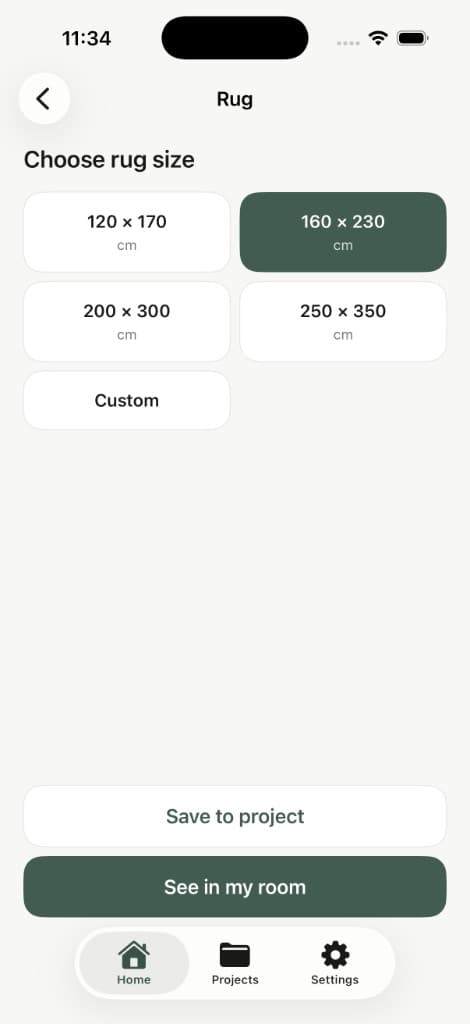
Rug size preview
Compare common rug sizes directly in your room before ordering one that's too small or too large.
120 × 170 · 160 × 230 · 200 × 300 · Custom
Rug size guideSee furniture and decor at true size in your space with AR. Check the fit, visualize the look and make the right choice with confidence.
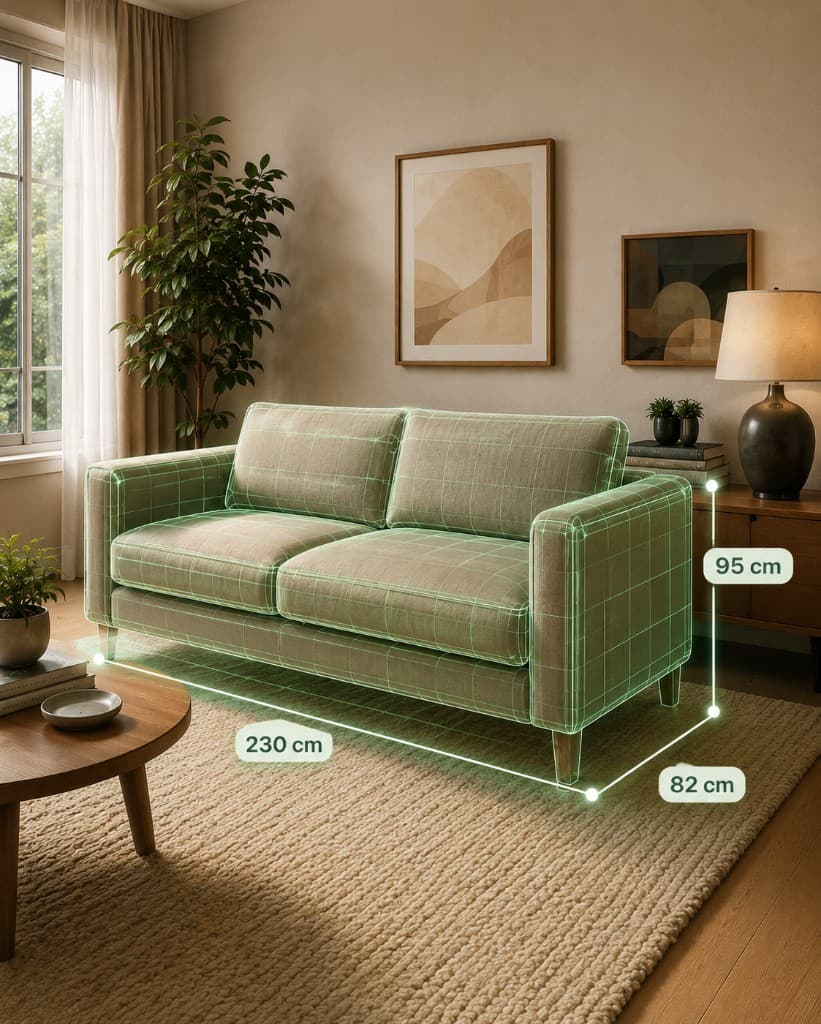
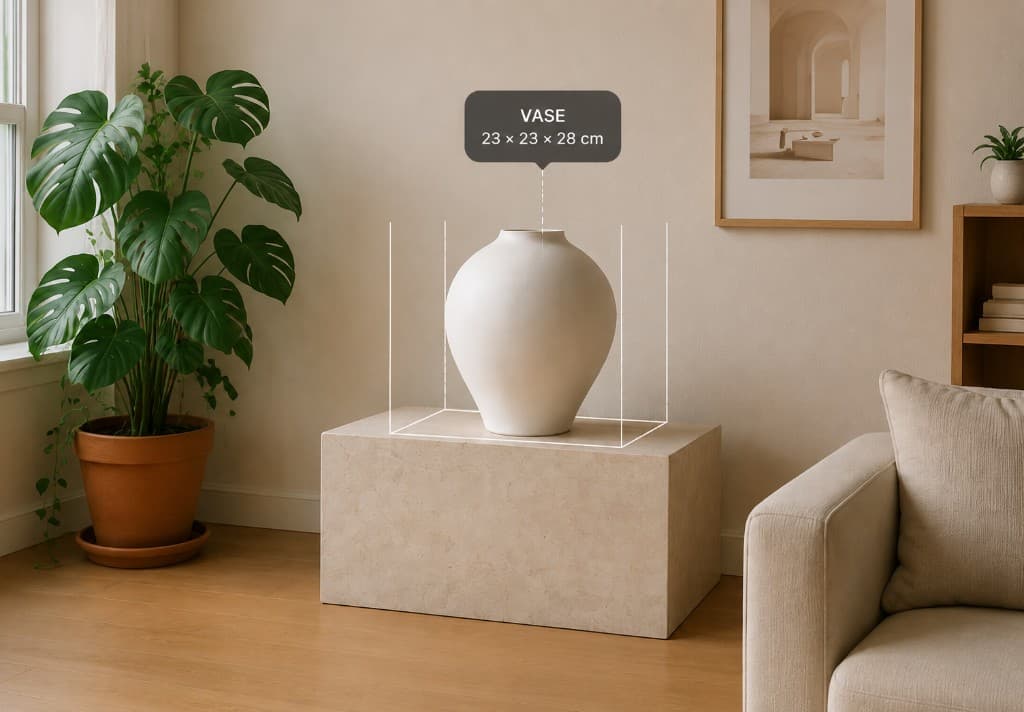
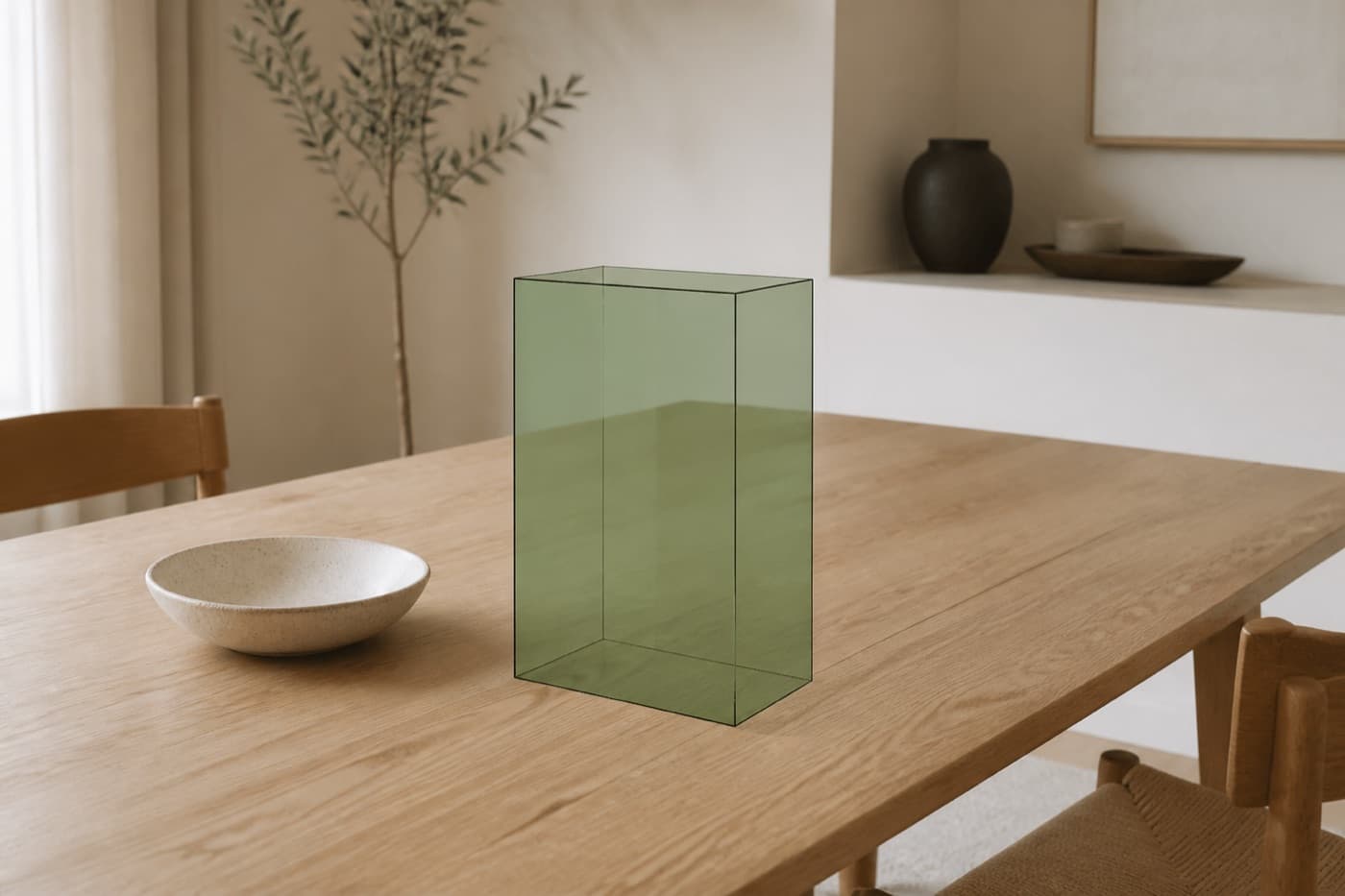
Enter the real width, height and depth of an item. RoomFit places a true-to-scale representation directly into your room using augmented reality.
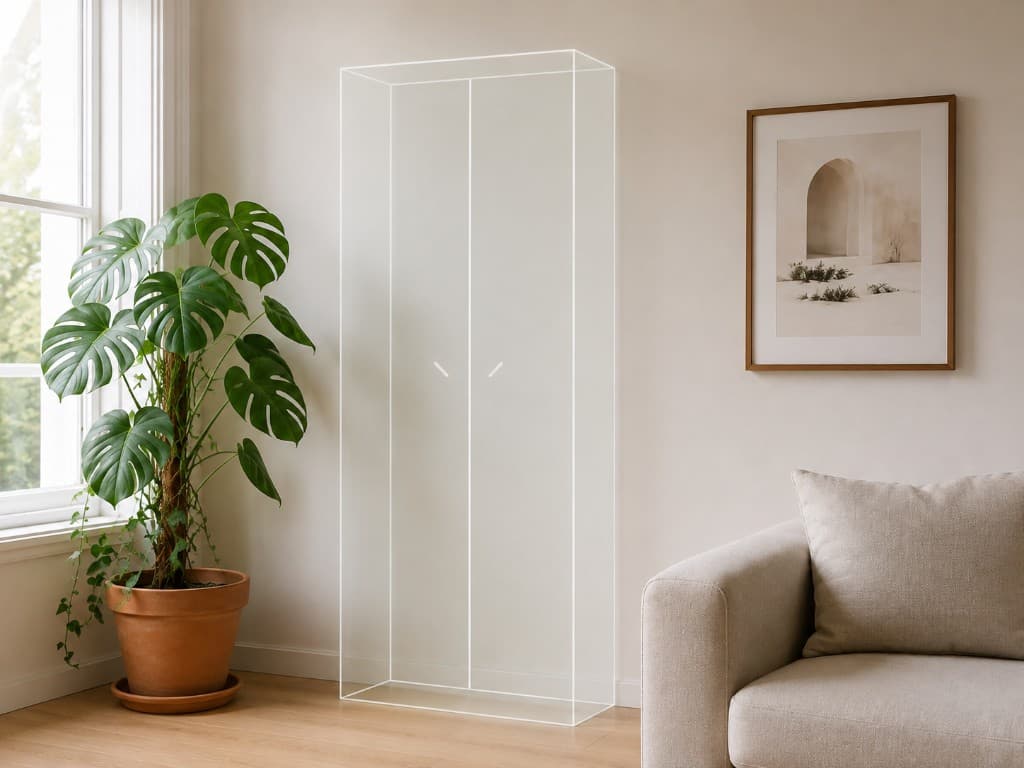
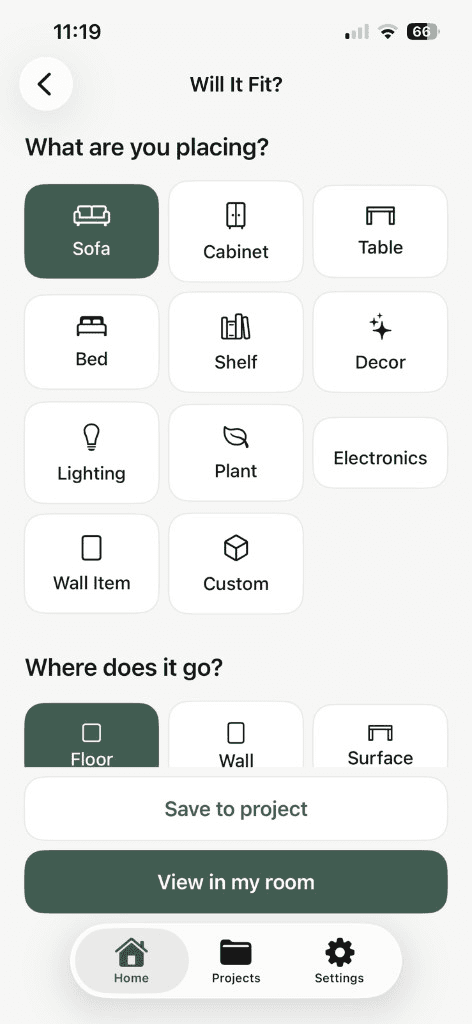
RoomFit isn't only for furniture. Preview decor, lamps, plants, shelves, electronics and custom objects using their real dimensions.
Add a product photo and RoomFit isolates the item from its background and uses its appearance while keeping the real dimensions accurate.
True to size
You enter the real dimensions. We keep them 100% accurate.
Real preview
See how it looks in your space — not a 3D model.
RoomFit is a visual product preview, not a generated 3D model. Size stays true. Appearance helps you imagine the piece in place.
Product photo
Add a clear photo of your item.
Remove background
We isolate the item from its background.
Enter real dimensions
Add width, height and depth.
Preview in your room
Place it, move it, see if it fits.
Measure from where you sit to the wall.
Recommended
65"
Comfortable range
55" – 75"
Enter your viewing distance and RoomFit recommends a comfortable TV size range. Then preview that size directly on your wall.
Compare common rug sizes directly in your room before ordering one that's too small or too large.
120 × 170 · 160 × 230 · 200 × 300 · Custom
Rug size guide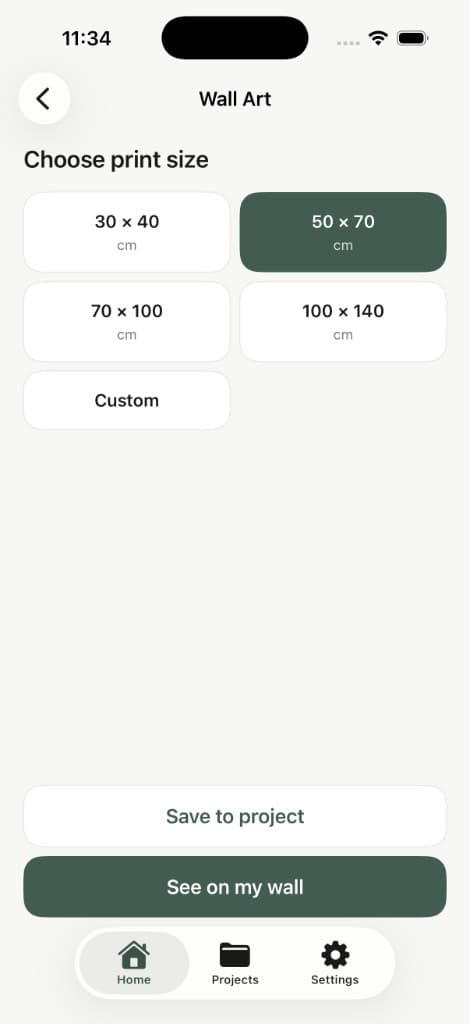
Preview the real dimensions of artwork, posters and frames directly on your wall.
30 × 40 · 50 × 70 · 70 × 100 · Custom
Wall art sizesEnter your room dimensions, doors and windows and RoomFit calculates approximately how much paint you'll need.
In the iOS app you can also mark a wall in AR. RoomFit uses that surface to estimate the paint, so you don't have to measure the room by hand.
You need
8.8 L
Buy 10 L
39.8 m² wall area · 2 coats · 10% extra included
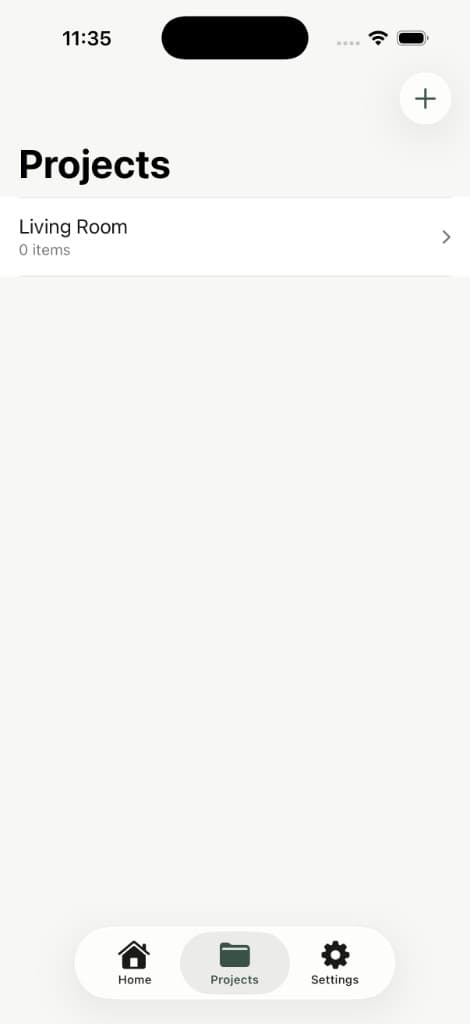
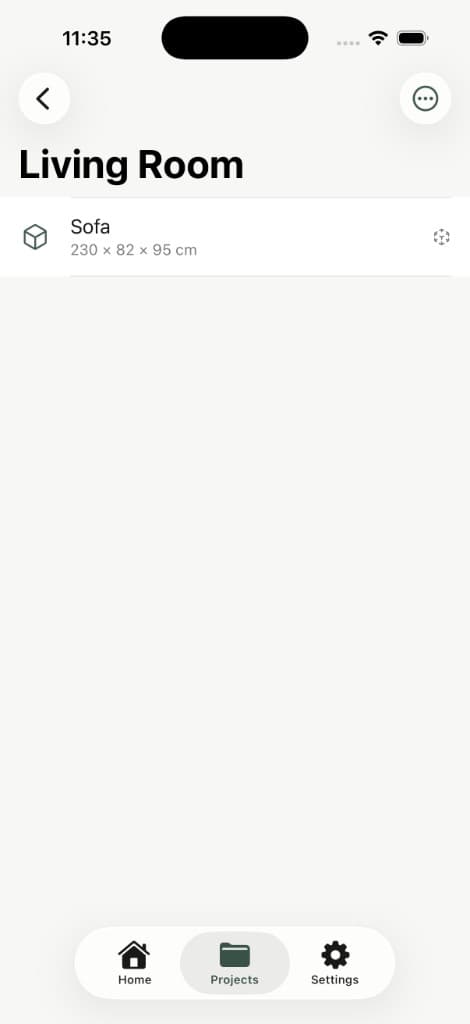
See something while shopping? Save it to a room and come back to it later when you're home.
Keep objects you're considering, measurements and planning ideas together — Living Room, Bedroom, Kitchen, Office, or any space you're working on.
Take a photo of an item while you're shopping and compare it with one of your saved rooms.
RoomFit evaluates visual relationships such as dominant colors, warmth and coolness, contrast, saturation and visual intensity.
Smart comparison
Compare your item with your room in seconds.
Visual analysis
We analyze color, tone, contrast and pattern.
Your item
Your room
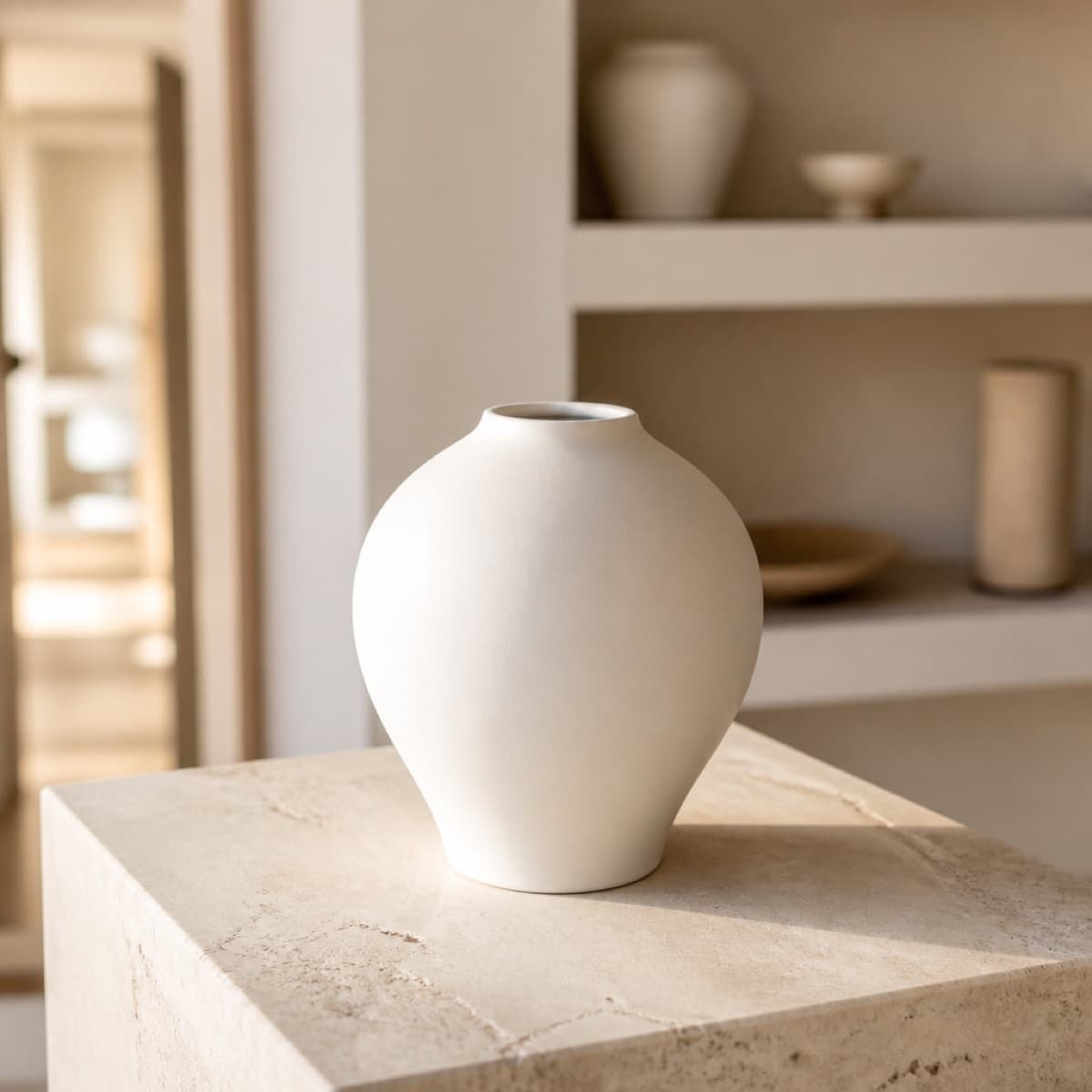
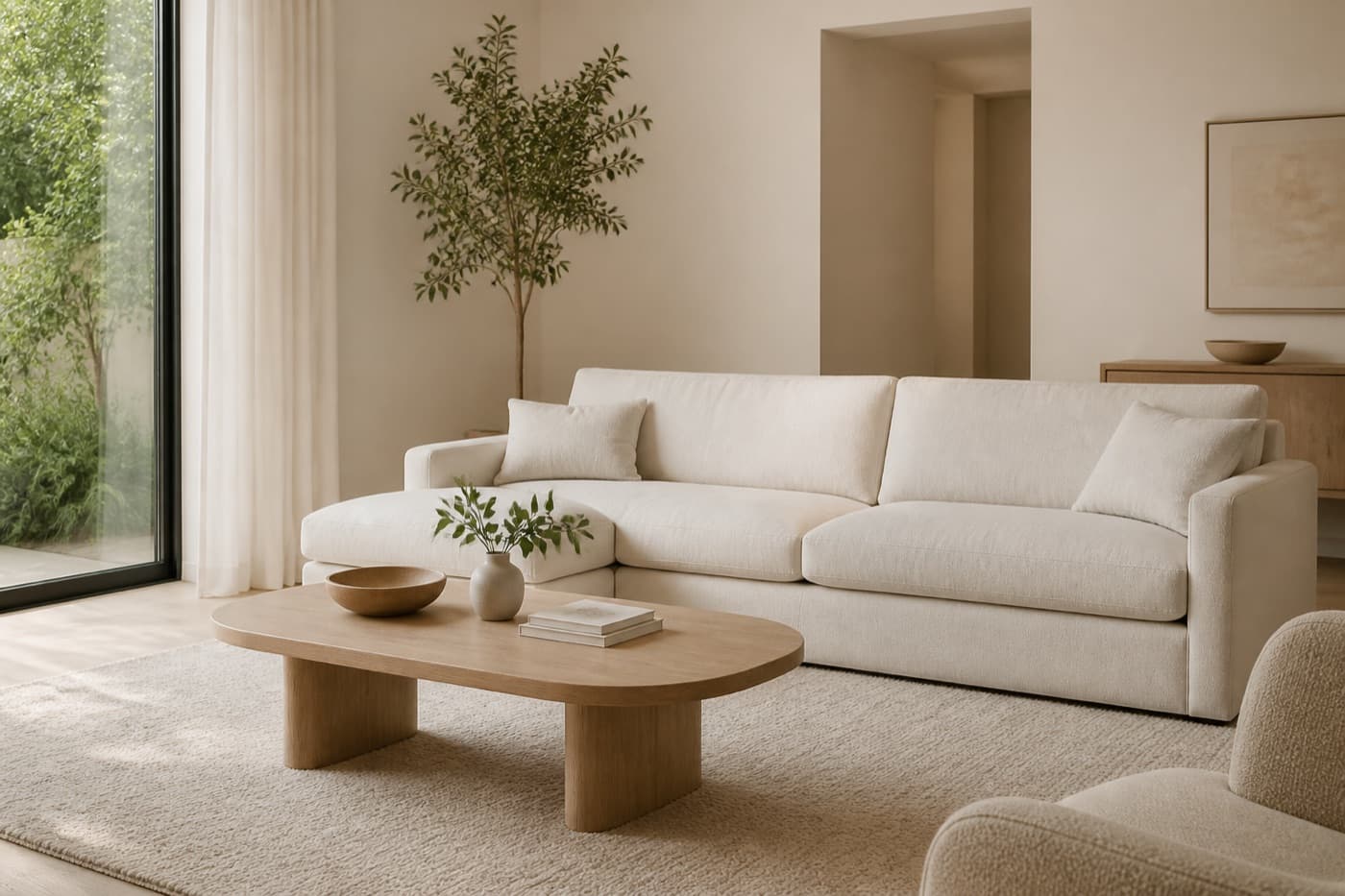
Color Match
84%
Great match.
Color
Great
Colors work very well together.
Tone
Warm
The warmth feels just right.
Contrast
Balanced
Good balance, not too flat.
Pattern
A little stronger
Pattern stands out slightly.
RoomFit Match is designed as a visual shopping aid, not an objective interior design judgment.
RoomFit AI
Color
The warm terracotta works naturally with the cream upholstery and wood tones.
Style
The organic shape fits the room’s softer, minimal aesthetic.
Pattern
The piece is more decorative than the surrounding objects, making it a strong accent.
Best placement
Coffee table
Sideboard
Open shelf
Style Checks are credits, not unlimited. Free: 1 total. Yearly: 20/month. Lifetime: 100 total. Extra packs can be purchased in the App Store.
Ask RoomFit AI for a deeper look at how an item works with your room — including color, style, materials, patterns and placement ideas.
Smart advice
Get instant insights about how the item fits your space.
Design details
AI analyzes color, style, materials and visual balance.
Placement ideas
Get suggestions for the best places to position your item.
Style Checks are credits, not unlimited. Free: 1 total. Yearly: 20/month. Lifetime: 100 total.
RoomFit helps you answer three questions before buying something for your home: will it fit, will it look right, and does it match.
01
Find something you like in a store or online.
Color Match
84%
02
See whether the size and style work with your room.
Living Room03
Add it to your Living Room, Bedroom or another saved space.
04
Preview it in AR before making the final decision.
RoomFit is useful on day one. Pro lifts the saved-space limit, adds Compare Products, increases daily AR visual limits, and includes AI Style Check credits.
Free
Free
All core tools included
Yearly
€24.99 / year
All core tools included
Lifetime
€59.99 once
All core tools included
| Feature | RoomFit Free Free | RoomFit Pro Yearly €24.99 / year | RoomFit Pro Lifetime €59.99 once |
|---|---|---|---|
| True-size AR | Included | Included | Included |
| AR visuals per day | 3 / day | 50 / day | 100 / day |
| Will It Fit? | Included | Included | Included |
| TV Size Planner | Included | Included | Included |
| Paint Calculator | Included | Included | Included |
| Rug & Wall Art | Included | Included | Included |
| Saved Spaces | Up to 3 | Unlimited | Unlimited |
| Any Object | Included | Included | Included |
| Product Photo Preview | Included | Included | Included |
| Does It Match? | Included | Included | Included |
| Compare Products | — Not included | Included | Included |
| AI Style Checks | 1 total | 20 / month | 100 total |
| Future Pro features | — Not included | Included | Included |
Plan limits
Daily AR limits reset every 24 hours. Unused daily allowances do not carry over to the next day.
AI Style Checks are credits, not unlimited. Extra packs can be purchased in the App Store. Extra packs: 10 Style Checks — $1.99; 30 Style Checks — $4.99; 100 Style Checks — $11.99. Pricing may vary by region and App Store.
Download on the App StoreRoomFit is built for rooms you live in. Photos of your home stay under your control, and optional cloud features only run when you ask for them.
RoomFit’s basic visual matching can run directly on the device.
When you explicitly choose Ask RoomFit AI, selected optimized room and product images may be securely sent for analysis.
Room photos are not uploaded simply because you save them locally.
Read the full Privacy Policy, Terms, and Cookie Policy.
Yes. Enter the published width, height and depth, then place a true-to-scale preview in your room with AR. RoomFit keeps the physical size locked — you can move and rotate, but you cannot pinch to scale.
Use the product’s real dimensions, not a photo. In RoomFit, choose Sofa or Custom, enter width, height and depth, then view it in your room. Always confirm doorway and stair clearance with a tape measure before you buy.
No. AR is built on the dimensions you enter. A product-photo preview is a visual approximation at those true dimensions — not a reconstructed 3D model of the item.
AR previews are planning aids. Device tracking, lighting and the measurements you enter can affect accuracy. Verify critical dimensions with a physical measuring tool before purchasing or installing anything.
No. RoomFit uses ARKit plane detection and works on iPhones that support AR without LiDAR. Scene reconstruction is used when a device supports it, mainly to help wall placement.
Saved spaces and local Match photos stay on your device unless you explicitly run a feature that needs a network request, such as Ask RoomFit AI.
Yes. True-size AR, Will It Fit, TV Planner, Paint Calculator, Rug & Wall Art, Any Object, Match and up to 3 saved spaces are on RoomFit Free, including 1 AI Style Check. Free includes 3 AR visuals per day. Compare Products is Pro. Free includes 1 Style Check in total. Pro Yearly includes 20 per month. Pro Lifetime includes 100 in total. Style Checks are credits, not unlimited. Extra packs can be bought in the App Store.
No. Free includes 1 Style Check in total. Pro Yearly includes 20 per month. Pro Lifetime includes 100 in total. Style Checks are credits, not unlimited. Extra packs: 10 Style Checks — $1.99; 30 Style Checks — $4.99; 100 Style Checks — $11.99.
RoomFit Free: up to 3 AR visuals per day. Pro Yearly: up to 50 per day while the subscription is active. Pro Lifetime: up to 100 per day. Daily AR limits reset every 24 hours. Unused daily allowances do not carry over to the next day.
Yes. RoomFit Pro uses Apple StoreKit. Restore Purchase is available in the app on the Apple ID that bought it.
RoomFit is an iOS app for the moment before you buy. Place furniture, TVs, rugs and decor in your room at true size with AR. Save spaces while you shop, then come back to them when you're home.
Size stays locked to the dimensions you enter. A product photo is a visual preview, not a generated 3D model. AR is a planning aid — confirm doorway clearance and critical measurements before you purchase. LiDAR is not required.
Alongside AR, RoomFit includes tools for TV size, paint, rugs and wall art, plus Match and optional RoomFit AI when you want a second look at style.

RoomFit is designed and developed by CodeLoop Studio, a software studio focused on thoughtful digital products and mobile experiences.