
See if it fits, at real size.
Enter the real width, height and depth of a sofa, cabinet, shelf or custom object. RoomFit places a true-to-scale volume in your room using augmented reality.
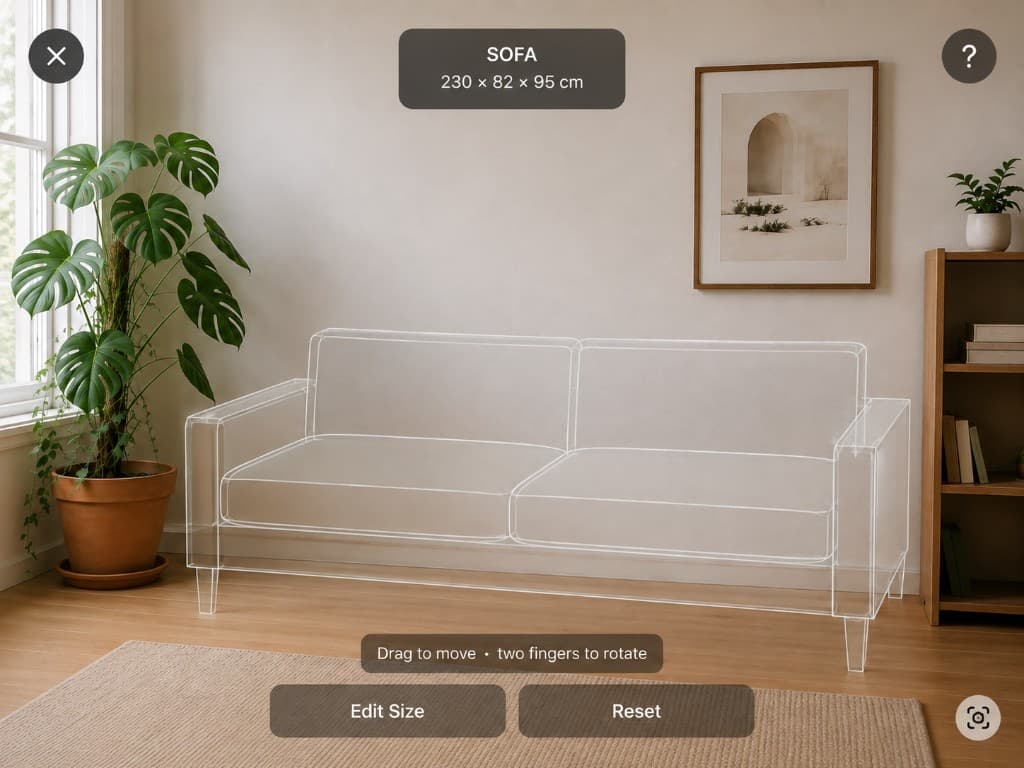
How true-to-size AR works
RoomFit does not guess the size from a photo. You type the measurements from the product listing. The preview stays locked to those measurements, so a 230 cm sofa cannot be pinched smaller to “make it fit.”
You can move the object around the room and rotate it. That is the point: test a few placements before you spend the money.
AR is a planning aid. Lighting, tracking and the numbers you enter all affect what you see. Measure doorways and stairs with a tape before you buy.
Once you know the size works, check whether the piece matches the room, or find a TV size for your viewing distance.
Questions, answered.
How do I know if furniture will fit through the door?
AR shows how the piece occupies the room once it is inside. It does not automatically check doorways, stairs or lifts. Measure those openings separately.
Can I move the object after I place it?
Yes. Drag to move and rotate with two fingers. Size stays locked to the dimensions you entered.
See it in your actual room
AR placement needs the camera on your iPhone. Download RoomFit, enter the dimensions, and view the piece in your room.